Key features
What it does
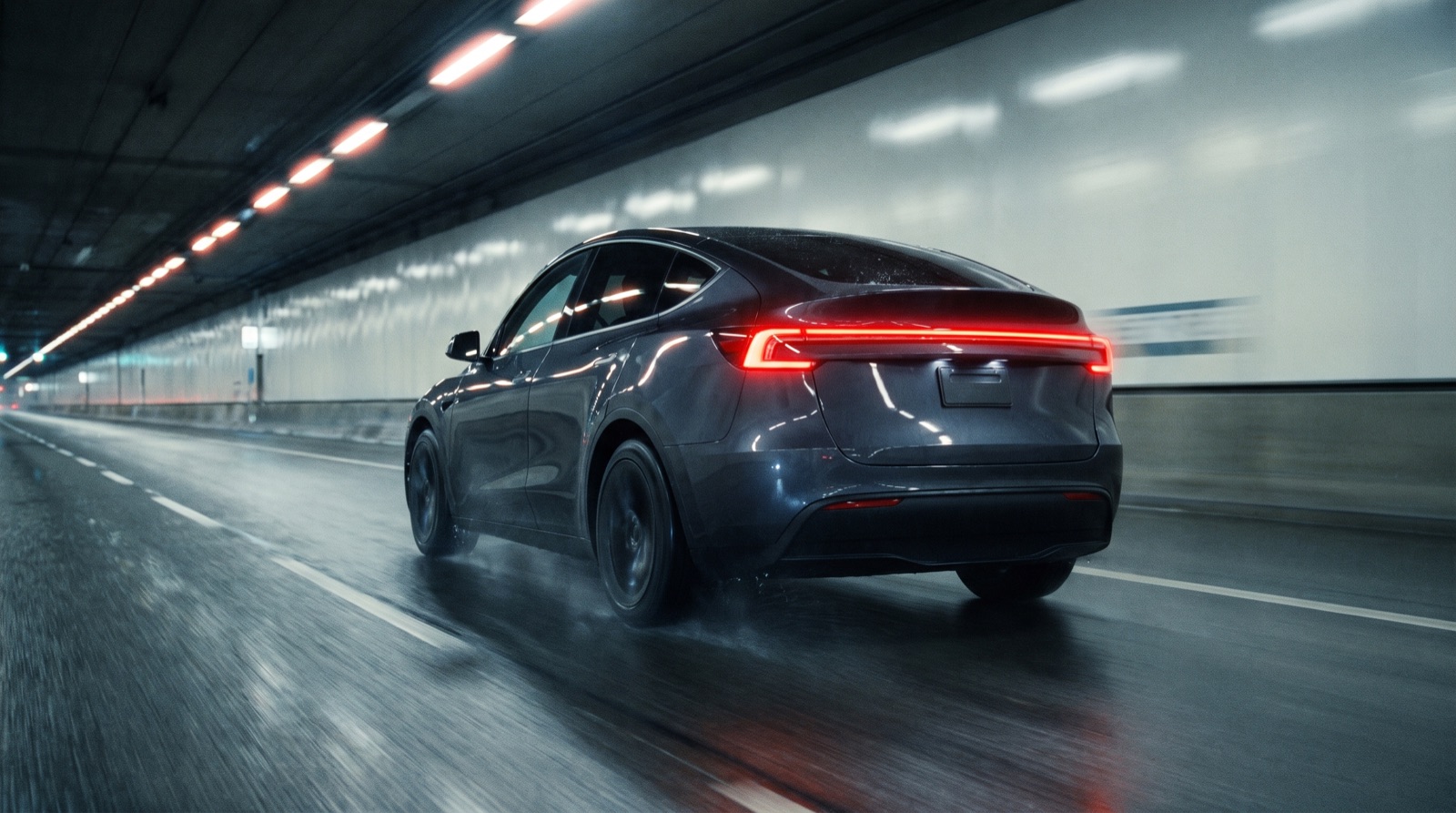
Matches the car's speedometer, even in tunnels
Speed comes from the phone's GPS with no lag and is auto-calibrated against the car's own reading. In tunnels where GPS drops, the cluster carries on with the vehicle's speed and blends back smoothly.
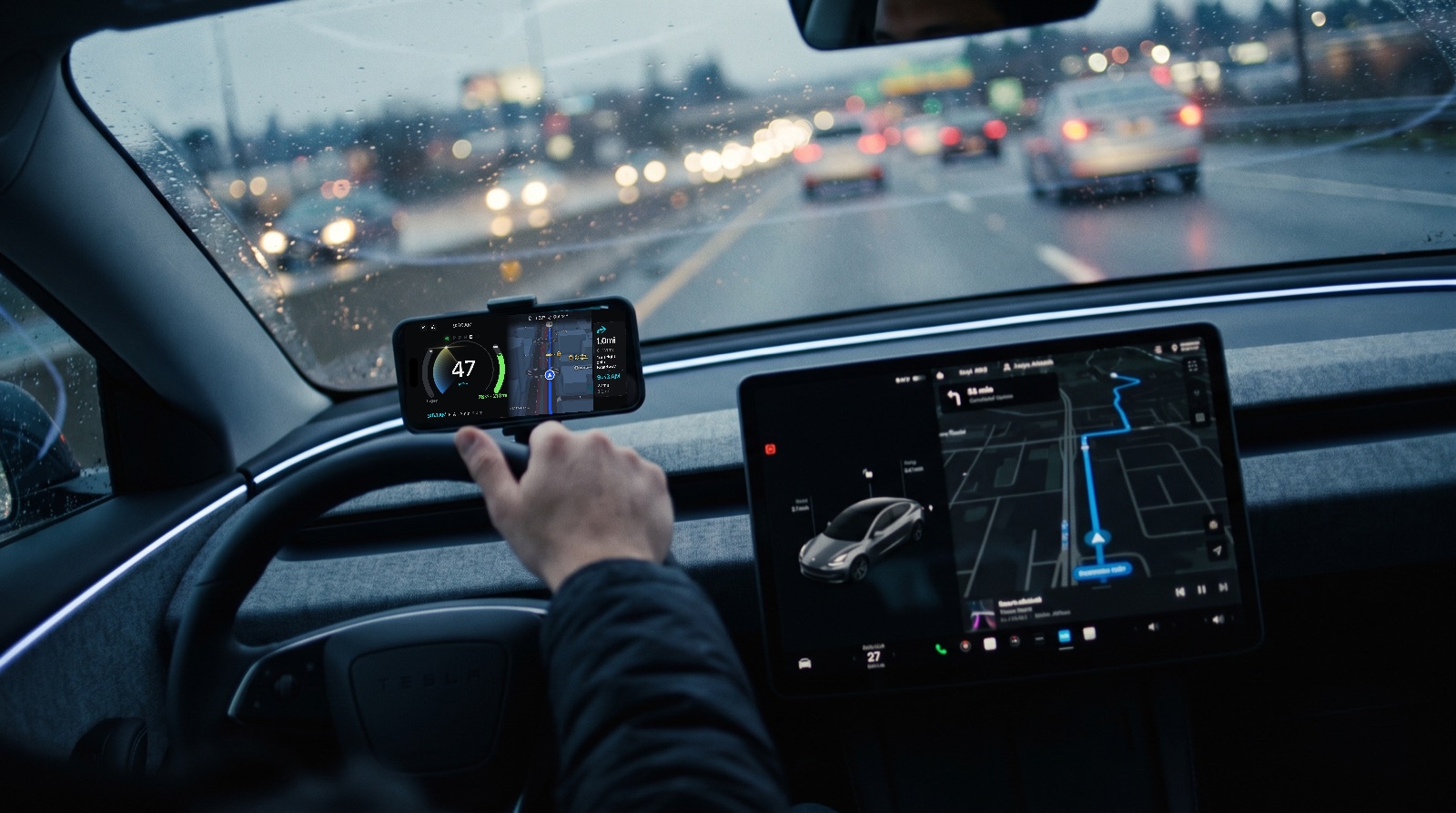
Picks up the car's destination
Start navigation on the car's screen and the app notices, then guides you to the same place. No re-typing.
After-blow when you park
Once you leave, the fan dries the A/C evaporator to stop odour and mould. Pick 1, 3 or 5 minutes — it starts and stops by itself. (1.0.1 update)
Cluster and map on one screen
The map sits beside the speedometer. Speed and power stay visible while you are being guided.
Power and regen in colour
Twelve o'clock is zero. Accelerating fills clockwise in blue; regenerative braking fills counter-clockwise in green.
Apple Maps navigation
Turn-by-turn guidance right beside your gauges, with routes and arrival times from Apple Maps.
Switches to night on its own
The screen goes dark after sunset, and follows you into tunnels during the day.
Seven languages
Korean, English, Japanese, Chinese, French, Spanish and German — maps and voice guidance included.
The big difference
How it connects to your car
Car screen
TeCluster
Included in your plan
After-blow when you park
Once you step out, the fan dries the A/C evaporator — removing the cause of summer A/C odour and mould. Tesla never had it; TeCluster adds it.
- Starts the moment the A/C turns off after parking — the app can be closed
- Choose 1, 3 or 5 minutes; your set temperature is restored afterwards
- Optional: only on days you used the A/C — about 0.1 kWh per run
Requires the TeCluster virtual key on your car (one-time, in the app). Ships in 1.0.1.
My Car Info
Values the official app never shows — read from data that already arrives, at no extra cost.
- Autopilot hardware generation (HW3/HW4) and exact trim
- Cold-locked battery — the gap between shown and usable charge
- Battery health via cell-voltage spread, isolation resistance
- Lifetime efficiency (kWh/100km) from lifetime energy used
- Software update progress, charging voltage and current
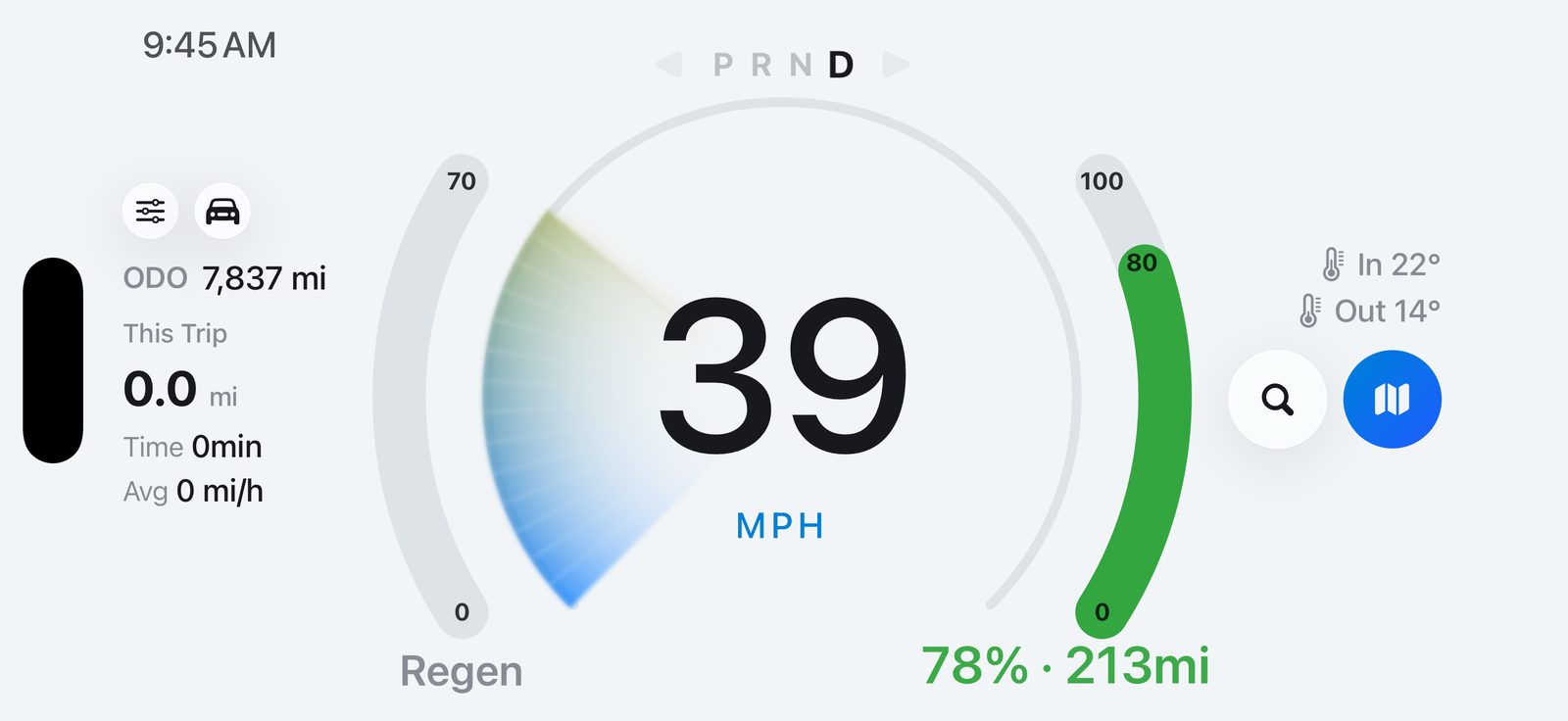
What it looks like while navigating
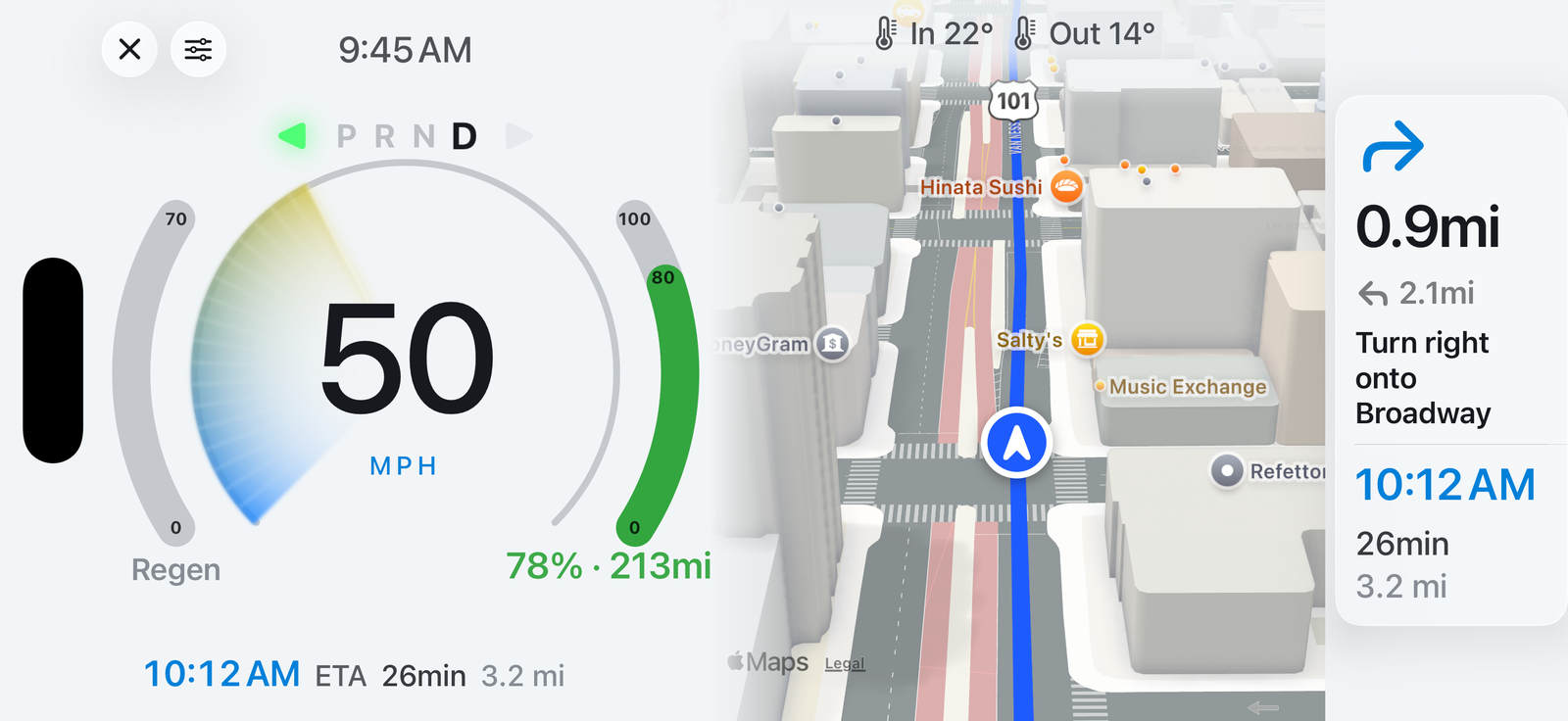
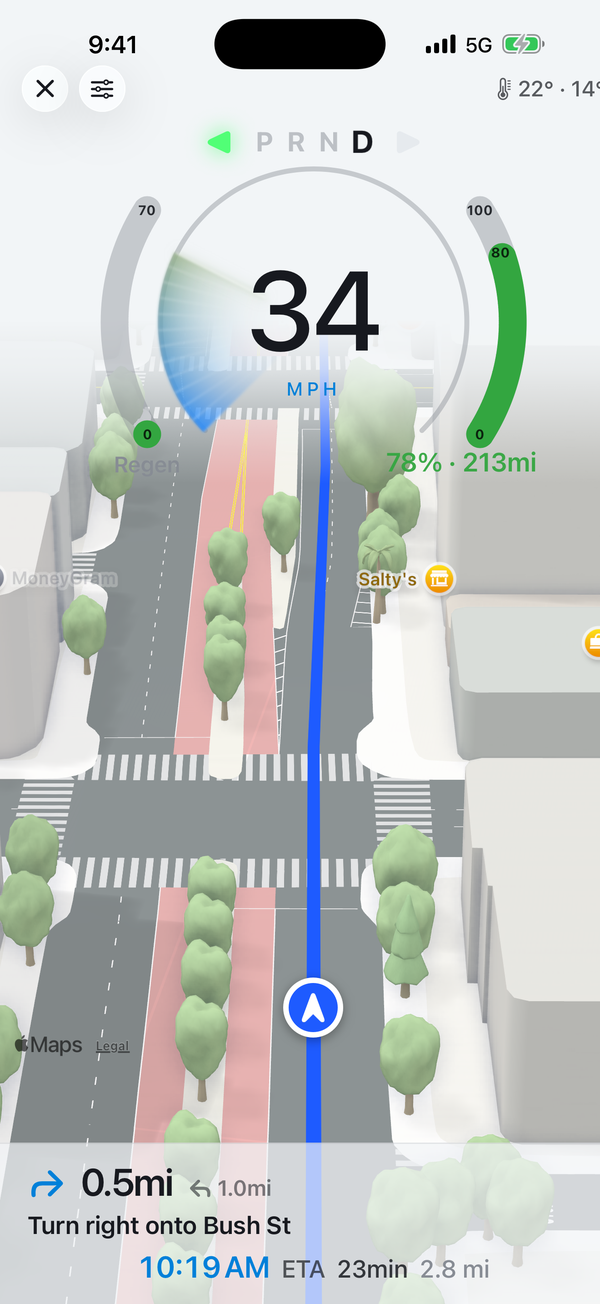
Actual screens. Navigation is powered by Apple Maps.
Pricing
Plans
Try everything free for 14 days.
US$1 / moUS$10 / yrEverything — 14 days free, then US$1 a month- Speedometer and power/regen gauge
- Automatic night and tunnel dimming
- Seven languages
- Battery, range, cabin/outside temperature, odometer and gear over Bluetooth
- Picks up guidance started in the car
- Apple Maps guidance
- Send a destination from the app to the car — tap Start on the car's screen
- After-blow after parking
- Battery and sleep state even away from the car
- Turn signals
- Low-battery and software-update alerts
- My Car Info — trim, HW, software version
Subscribe in the app; cancel anytime — cancel before the trial ends and you pay nothing. Vehicle features need a Tesla account and a virtual key registered once from the app. Prices are set by the App Store and may vary by country.
What you need
- iPhone running iOS 17 or later
- Bluetooth link needs car software 2024.38 or later. All Model 3/Y; Model S/X from 2021.
- A Tesla account if you want vehicle data. Without it, the cluster and guidance still work.
- Location permission for the speed reading. Location is processed on your device and never sent to our server.
Support
If something goes wrong or you would like to suggest a feature, write to the address below. We reply within two business days. contact@cgflow.kr
If vehicle data is not coming through, check the Tesla account connection and vehicle key status under Settings → Vehicle in the app.
The app is a driving aid for reference only. Real road conditions and traffic law always take precedence over what the app shows.